Talos Linux on Your Mac
Talos Linux is built to run Kubernetes and nothing else. There is no shell, no SSH and no package manager: you manage every node through an API with talosctl. This course runs Talos as containers on your Mac, so you can learn that API, the machine configuration, the network plugin and upgrades without any hardware. Each module starts from a conversation recorded for udienza.com at TalosCon in Amsterdam and at Open Source Summit Europe.
You type every command yourself and finish knowing how to take what you practiced to real machines.
The narration is a synthetic voice made from the author's own voice.
What you'll learn
- Create a Talos Linux cluster in Docker with talosctl, and connect to it with talosctl and kubectl
- Read services, logs and files on a node through the Talos API, without a shell
- Generate machine configuration, change it with patches, and check each change with a dry run before applying it
- Replace the default network plugin with Cilium, and enforce a network policy
- Upgrade Kubernetes on a Talos cluster and take an etcd snapshot
- Know the ways to provision Talos on real machines, and remove everything the course created
Who this is for
- • DevOps engineers deepening their expertise
- • SREs building production-grade systems
- • Backend developers expanding into infrastructure
Prerequisites
- • A Mac with Apple silicon and 16 GB of memory or more
- • Colima, kubectl and Helm, set up as in the course "Kubernetes on Your Mac"
- • A Colima profile whose Linux kernel is 6.15 or newer, which Talos 1.14 needs to run in containers; the first lesson shows how to install Ubuntu's newer kernel in it
- • Basic Kubernetes: nodes, pods, Deployments and kubeconfig contexts
Course content
2 modules, 6 lessons, 31m of video
Module 1
3 lessons, 14 min
5 min
Check the Linux kernel under Docker, create a two-node Talos cluster with talosctl, find the configuration it writes for talosctl and kubectl, and see that each node is a container running Talos, with no shell inside. Episode: Thilo Fromm, "Why the host OS still matters". The narration is a synthetic voice made from the author's own voice.
5 min
There is no SSH on a Talos node. Read cluster members, services, kubelet logs, kernel messages, processes and files through the Talos API instead.
5 min
Generate the secrets and machine configuration of a cluster, see which files must stay private, read its typed documents, write a patch that labels a node, and check it with a dry run before applying it without a reboot.
Module 2
3 lessons, 17 min
8 min
Create a cluster without a network plugin and without kube-proxy, install Cilium with Helm, and watch the nodes become Ready. Then make a Cilium network policy refuse a connection. Episode: Raymond de Jong, "Private networks for VMs on Kubernetes".
6 min
Upgrade the Kubernetes version of a running Talos cluster with a dry run first, list the etcd members, and save an etcd snapshot to your Mac. Then see why an operating system upgrade needs a real machine. Episode: Steve Francis, "Talos in the AI era".
5 min
See the ways to run and provision Talos beyond Docker and where the install disk and image are set, then destroy the cluster and remove its entries from your client files, so nothing is left in Docker. Episodes: Pepijn Oomen, "Reviving Cluster API for Talos Linux" and Steve Francis, "Talos in the AI era".
Get started
Start Free LessonFirst lesson is always free — no signup required
This course includes
Every lesson, with Pro
All 6 lessons of this course and every other course.
$25 a month billed yearly, or $29 month to month
Until 30 November: $210 for the first year, or $14.50 for the first month, with code LAUNCH.
Your instructor
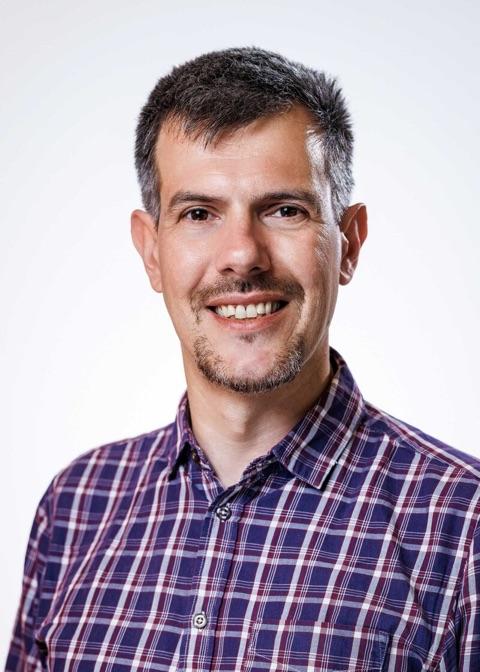
Founder and CEO, Open Empower. About the author
More in AI Homelab on a Mac mini
All courses in this track
Turn a Mac mini into a reproducible homelab server
You will turn an Apple Silicon Mac mini into an always-on home server. You start by planning hardware choices and initializing a Git repository to track your setup steps. This foundation ensures your configuration is documented and ready for automation. You then configure remote access using SSH and Tailscale for secure connectivity. You also adjust power settings to keep the machine running continuously without interruption. Next, you use Homebrew with a Brewfile to manage software packages consistently. You create a Makefile that journals every command and output for full reproducibility. Finally, you add a read-only health check to verify system status. You learn to rebuild the entire setup on a clean machine from your repository.
Beginner · 4 lessons · 15 min · Updated Nov 2026
Preview free lesson
Virtual machines on Apple Silicon
You will build a Linux virtual machine on your Apple Silicon Mac using Colima and the Virtualization framework. You will point Docker to this VM and manage it with simple commands. You will share files between your Mac and the VM using virtiofs mounts. You will run AMD64 container images efficiently using Rosetta translation instead of slow emulation. You will size your VM correctly for your specific Mac hardware to avoid resource issues. You will create a plain Ubuntu VM with Lima for lab environments. You will configure launchd to start your VM automatically when you log in. You will learn to stop and clean up these virtual machines when you are done.
Beginner · 6 lessons · 20 min · Updated Nov 2026
Preview free lesson
Kubernetes on your Mac
You will build a multi-node Kubernetes cluster on your Apple Silicon Mac using kind. You start by creating a single-node cluster and then expand it to three nodes using a configuration file. You install applications with Helm and reach them from your Mac using ingress or Gateway. You also manage persistent storage and resource limits for your pods. You finish by tearing down and rebuilding the entire environment in minutes. You use a Makefile to automate the setup and cleanup process. This ensures your cluster is reproducible and easy to manage. You gain hands-on experience with a real cluster that runs entirely on your laptop.
Beginner · 6 lessons · 23 min · Updated Nov 2026
Preview free lesson