Local AI on Apple Silicon (Ollama)
You will install Ollama on your Apple Silicon Mac and run models locally. You learn how to choose models that fit your memory and configure the server for security. You create a custom model using a Modelfile with specific system prompts. You also set up the service to run in the background on your GPU.
You connect to these models from Python using the OpenAI SDK. You build a small agent loop that allows models to call external tools. You access the local server from containers without exposing it to the network. You use the same code patterns you already know for cloud APIs.
What you'll learn
- Install Ollama and run models on the Metal GPU
- Select models that fit your Mac's available memory
- Configure server settings for localhost-only access
- Create custom models using Modelfiles with system prompts
- Call local models from Python and containers
Who this is for
- • Developers moving into DevOps or infrastructure roles
- • System administrators learning modern tooling
- • CS students building practical skills
Prerequisites
- • A Mac with an Apple Silicon chip
- • Homebrew installed on your system
Course content
2 modules, 8 lessons, 27m of video
Module 1
4 lessons, 14 min
4 min
The learner installs Ollama on a Mac with Apple Silicon using Homebrew and starts it as a background service. They then run the Gemma 4 model, learning how the model runs on the graphics processor using Metal and MLX.
5 min
The learner estimates model size, reads model capabilities, and compares the speed of different models on a Mac. They learn guidelines for choosing models based on available memory.
4 min
The learner configures the Ollama server by modifying settings that are read from environment variables. They learn how to manage these settings so they persist across service restarts and upgrades.
3 min
The learner creates a custom model using a Modelfile, which defines the base model, system prompt, and parameters. This custom model can then be used by applications via the API, maintaining specific instructions and settings.
Module 2
4 lessons, 13 min
3 min
This lesson explains how Ollama serves two APIs over HTTP: its own and one compatible with OpenAI. Learners see how to use both APIs, which accept requests in JSON format, to interact with local models.
4 min
This lesson demonstrates how to use local models from Python with the OpenAI library for chat, structured output, and embeddings. The learner sees examples of generating direct answers, forcing data into a Python object, and searching notes based on meaning.
4 min
The learner builds a small agent loop that allows a model to use Python tools to answer questions. This process involves sending messages and tool specifications, executing requested tools, and feeding the results back to the model.
4 min
This lesson shows how to access local models from inside containers using specific host addresses. It explains that containers can use models running on the Mac without needing to open Ollama to the network.
Get started
Start Free LessonFirst lesson is always free — no signup required
This course includes
Want all courses?
See Pro plan →Your instructor
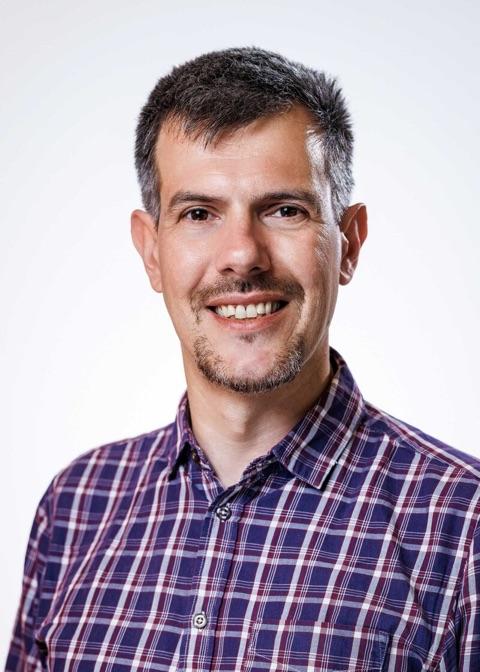
Founder and CEO, Open Empower. About the author
More in AI Homelab on a Mac mini
All courses in this track
Turn a Mac mini into a reproducible homelab server
You will turn an Apple Silicon Mac mini into an always-on home server. You start by planning hardware choices and initializing a Git repository to track your setup steps. This foundation ensures your configuration is documented and ready for automation. You then configure remote access using SSH and Tailscale for secure connectivity. You also adjust power settings to keep the machine running continuously without interruption. Next, you use Homebrew with a Brewfile to manage software packages consistently. You create a Makefile that journals every command and output for full reproducibility. Finally, you add a read-only health check to verify system status. You learn to rebuild the entire setup on a clean machine from your repository.
Beginner · 4 lessons · 15 min · Updated Nov 2026
Preview free lesson
Virtual machines on Apple Silicon
You will build a Linux virtual machine on your Apple Silicon Mac using Colima and the Virtualization framework. You will point Docker to this VM and manage it with simple commands. You will share files between your Mac and the VM using virtiofs mounts. You will run AMD64 container images efficiently using Rosetta translation instead of slow emulation. You will size your VM correctly for your specific Mac hardware to avoid resource issues. You will create a plain Ubuntu VM with Lima for lab environments. You will configure launchd to start your VM automatically when you log in. You will learn to stop and clean up these virtual machines when you are done.
Beginner · 6 lessons · 20 min · Updated Nov 2026
Preview free lesson
Kubernetes on your Mac
You will build a multi-node Kubernetes cluster on your Apple Silicon Mac using kind. You start by creating a single-node cluster and then expand it to three nodes using a configuration file. You install applications with Helm and reach them from your Mac using ingress or Gateway. You also manage persistent storage and resource limits for your pods. You finish by tearing down and rebuilding the entire environment in minutes. You use a Makefile to automate the setup and cleanup process. This ensures your cluster is reproducible and easy to manage. You gain hands-on experience with a real cluster that runs entirely on your laptop.
Beginner · 6 lessons · 23 min · Updated Nov 2026
Preview free lesson