Kubernetes Control Planes as a Service with Kamaji
When a platform team hands out whole clusters, every control plane usually needs its own machines. Kamaji runs them as pods in a management cluster instead, with their state in a shared datastore, while each tenant's worker nodes join from outside. This course builds that on your Mac with kind, from the first tenant control plane to an upgrade and a failure. It starts from a conversation recorded for udienza.com with Dario Tranchitella, CTO of Clastix, the company behind Kamaji.
You type every command yourself and see what a control plane costs when it is a pod.
The narration is a synthetic voice made from the author's own voice.
What you'll learn
- Prepare a management cluster with cert-manager, a datastore and Kamaji
- Create a tenant control plane and connect to it with its own kubeconfig
- Join a worker node to a tenant control plane and run a workload on it
- Run several tenant control planes on one datastore, measure what each one uses, and see them in Headlamp, the Kubernetes web UI
- Upgrade a tenant control plane while its API keeps answering
- See how a tenant cluster behaves when its control plane pods fail, and remove everything the course created
Who this is for
- • Senior engineers architecting complex systems
- • Platform engineers building internal tooling
- • Tech leads driving infrastructure decisions
Prerequisites
- • A Mac with Apple silicon and 16 GB of memory or more
- • Colima, kind, kubectl and Helm, set up as in the course "Kubernetes on Your Mac"
- • Kubernetes administration: control plane components, kubeadm, certificates and kubeconfig files
Course content
2 modules, 6 lessons, 32m of video
Module 1
3 lessons, 16 min
6 min
Create the management cluster with kind, then install cert-manager, a datastore and Kamaji, and see the resources Kamaji adds to Kubernetes. The narration is a synthetic voice made from the author's own voice.
5 min
Describe a tenant cluster in one file, apply it, and find its API server, controller manager and scheduler running as pods. Connect to it with its own kubeconfig, and see why a workload waits for a node.
6 min
Create a join token on the tenant cluster, join a worker node to it, and watch the waiting workload start on a node that the management cluster does not even see.
Module 2
3 lessons, 16 min
8 min
Add a second tenant control plane on the same datastore, and measure the memory each control plane uses, compared with the management cluster's own control plane. Then install Headlamp, the Kubernetes web UI, and see the tenant control planes and, through its kubeconfig, a tenant cluster's own workloads in the browser.
5 min
Change the Kubernetes version of a tenant control plane, check its API and its app once a second during the rolling update, and see the worker stay on its version, in kubectl and in Headlamp.
5 min
Delete both control plane pods of a tenant and watch them come back while the workloads keep running, then remove every tenant cluster, the worker and the management cluster.
Get started
Start Free LessonFirst lesson is always free — no signup required
This course includes
Every lesson, with Pro
All 6 lessons of this course and every other course.
$25 a month billed yearly, or $29 month to month
Until 30 November: $210 for the first year, or $14.50 for the first month, with code LAUNCH.
Your instructor
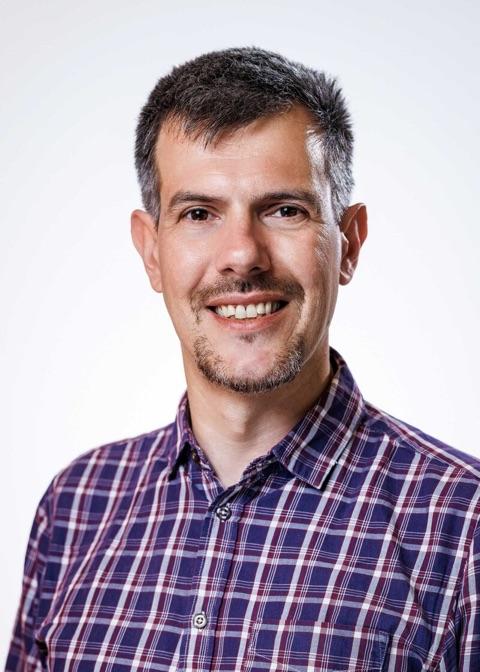
Founder and CEO, Open Empower. About the author
More in AI Homelab on a Mac mini
All courses in this track
Turn a Mac mini into a reproducible homelab server
You will turn an Apple Silicon Mac mini into an always-on home server. You start by planning hardware choices and initializing a Git repository to track your setup steps. This foundation ensures your configuration is documented and ready for automation. You then configure remote access using SSH and Tailscale for secure connectivity. You also adjust power settings to keep the machine running continuously without interruption. Next, you use Homebrew with a Brewfile to manage software packages consistently. You create a Makefile that journals every command and output for full reproducibility. Finally, you add a read-only health check to verify system status. You learn to rebuild the entire setup on a clean machine from your repository.
Beginner · 4 lessons · 15 min · Updated Nov 2026
Preview free lesson
Virtual machines on Apple Silicon
You will build a Linux virtual machine on your Apple Silicon Mac using Colima and the Virtualization framework. You will point Docker to this VM and manage it with simple commands. You will share files between your Mac and the VM using virtiofs mounts. You will run AMD64 container images efficiently using Rosetta translation instead of slow emulation. You will size your VM correctly for your specific Mac hardware to avoid resource issues. You will create a plain Ubuntu VM with Lima for lab environments. You will configure launchd to start your VM automatically when you log in. You will learn to stop and clean up these virtual machines when you are done.
Beginner · 6 lessons · 20 min · Updated Nov 2026
Preview free lesson
Kubernetes on your Mac
You will build a multi-node Kubernetes cluster on your Apple Silicon Mac using kind. You start by creating a single-node cluster and then expand it to three nodes using a configuration file. You install applications with Helm and reach them from your Mac using ingress or Gateway. You also manage persistent storage and resource limits for your pods. You finish by tearing down and rebuilding the entire environment in minutes. You use a Makefile to automate the setup and cleanup process. This ensures your cluster is reproducible and easy to manage. You gain hands-on experience with a real cluster that runs entirely on your laptop.
Beginner · 6 lessons · 23 min · Updated Nov 2026
Preview free lesson